Grow a Garden 2 Apple

Use this Grow a Garden 2 Apple page to check seed price, base value, harvest type, buying risk, and which tools to open before buying or selling.

Updated 2026-06-28

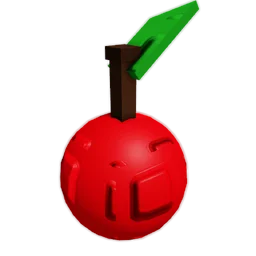
Grow a Garden 2 Apple crop produce icon from the wiki
Apple crop image

Apple quick facts

Seed price 400 Sheckles
Robux price 29 Robux
Base sell value 12 Sheckles
Tier Uncommon
Harvest type Multi
Wiki page Open the crop wiki page when you want to double-check changed details. Wiki

Next checks for Apple

Compare base values Check where Apple sits against other crops before treating its base value as enough. Open
Estimate with calculator Open Apple in the calculator when quantity, size, or mutations change the sell decision. Open
Check stock planning Use the stock planner to decide whether waiting for this seed is better than buying a backup crop. Open
Check night defense Use defense notes when this crop becomes valuable through timing or mutations. Open

How to plan Apple

Budget check Apple should be compared against your current Sheckles balance before you wait on a restock or spend Robux.
Value check Use the base value as a starting point, then check size, quantity, and mutation multiplier in the calculator before selling.
Stock check This site does not show live stock. Use stock pages to plan what to watch for, then confirm availability in-game.
Night check Night risk still matters if the crop receives a useful mutation or blocks your next purchase.

Multi harvest notes

Repeat harvest value Apple is listed as a multi-harvest crop, so one fruit does not describe the full long-term value.
Longer planning window Multi-harvest crops can stay useful while waiting for weather, mutation chances, or restock decisions.
Defense over time Repeated harvests still need protection when the seed cost is high or the crop becomes mutation-ready.

Grow a Garden 2 Apple should be judged by the full plan, not by one number. The seed price tells you the entry cost, while the base value gives only the starting point before size, quantity, mutation, and timing decisions. A crop can look strong in a table and still be a bad purchase if it blocks your next upgrade or sits exposed through night.

Start with the Sheckles cost. If buying Apple drains your balance, compare it with cheaper seeds and check whether the crop is single-harvest or multi-harvest. A single-harvest crop needs a stronger one-time result. A multi-harvest crop can be useful over repeated pickups, especially when you are waiting for weather, mutations, or another shop cycle.

Next, check the calculator. Enter the base value, quantity, and mutation setup before treating a result as sell-ready. Mutations such as Gold, Rainbow, Frozen, Electric, Starstruck, or Bloodlit can change the estimate, but they do not remove the need to protect the crop or confirm the latest in-game state.

Finally, check stock and defense. This page does not show your current server inventory, so confirm availability in game. If Apple is expensive, mutation-ready, or important to a guild goal, use the night stealing and defense pages before leaving it exposed.

Buy, hold, sell, or skip

Buy Buy Apple only when the seed cost fits your current plan and you are not ignoring cheaper crops that would keep Sheckles moving.
Hold Hold Apple when a mutation event, calculator check, or guild goal could make the crop more useful than an immediate sale.
Sell Sell Apple when the current value supports your next upgrade, especially if night risk or a stock window makes waiting worse.
Skip Skip Apple for now if the seed price, harvest type, or defense requirement would make the rest of your garden weaker.

Use Apple when it helps the next decision. The question is not only whether the crop has a high value. The question is whether this crop helps your next fifteen minutes of play: buying the seed, waiting for stock, watching weather, protecting the plot, and turning the harvest into the next purchase.

Use this Grow a Garden 2 Apple guide as a checkpoint before you spend. If the crop is affordable and easy to protect, it can fit a steady plan. If it is expensive, rare in stock, or waiting on a mutation window, compare it with the seeds page and calculator before committing.

Grow a Garden 2 crop planning should stay tied to the current game, because older Grow a Garden values and copied tables can point players toward the wrong decision.

When Apple is a good target

Good fit You have enough Sheckles to buy it without stalling the rest of your garden plan.
Better with calculator You are comparing base value against mutation, size, and quantity before selling.
Risk warning You should avoid buying or holding it blindly if night risk, stock availability, or the latest game state is unclear.
FAQ

Questions players ask

How much does Apple cost in Grow a Garden 2?

Apple is currently listed at 400 Sheckles and 29 Robux in the GAG2 crop details.

What is the base value of Apple?

Apple currently has a listed base sell value of 12 Sheckles before size, quantity, mutation, and other timing effects.

Should I buy Apple first?

Only if it fits your current budget, stock availability, harvest plan, mutation setup, and night defense risk. Use this page as a planning guide, not a guaranteed profit claim.

Keep going

Related pages