Roblox fan-made tools

Grow a Garden 2 Tools

Codes, values, seeds, pets, gears, mutations, stock notes, and night stealing guides for Grow a Garden 2 players.

Grow a Garden 2 Roblox thumbnail showing garden plots, crops, and offline growth
Official Roblox game thumbnail Media source: Roblox

Browse the Grow a Garden 2 wiki hub

Jump into the page that matches your next decision: redeeming a code, buying a seed, checking a pet, or planning for night risk.

Common Grow a Garden 2 player routes

Pick the route that matches what you are doing in game right now. Each route points to the same source-linked pages instead of hiding the data behind a recommendation.

Grow a Garden 2 new player route Start with Grow a Garden 2 codes, read the beginner guide, then compare cheap seeds before waiting for rare restocks.
Grow a Garden 2 seed buyer route Use Grow a Garden 2 values and seed pages together so price, harvest type, and base value are checked before buying.
Grow a Garden 2 night risk route Open Grow a Garden 2 stealing, defense pets, gears, and stock notes before holding expensive crops through night windows.
Grow a Garden 2 mutation route Check Grow a Garden 2 mutations, weather events, Gold, Rainbow, Bloodlit, and calculator assumptions before chasing boosted crops.

What is Grow a Garden 2?

Grow a Garden 2 is a Roblox farming game built around seeds, crops, Sheckles, restocks, pets, weather events, mutations, guild rewards, and night stealing. Players plant affordable crops, sell harvests, redeem rewards, and move toward stronger seeds as the garden economy opens up.

This Grow a Garden 2 guide connects the main beginner decisions in one place: redeem codes, compare seeds, open the calculator, check values, review pet notes, and understand why stock is treated as a reference rather than a live tracker. GAG2 Tools is fan-made, not official, and built to help players find the next useful page quickly.

Because Grow a Garden 2 is still changing, the safest way to use a guide is to check the source-linked rows before acting. A player who only wants a code should not need to read a full values page. A player buying a high-cost seed should check price, base value, harvest type, mutation chance, stock status, and night defense before spending.

What you can use now: Grow a Garden 2 beginner guide, codes, calculator, values, seeds, seed tier list, pets, defense pets, gears, mutations, Gold and Rainbow route, weather events, Blood Moon, guilds, stock reference, updates, night stealing, and defense basics. Older Grow a Garden tools live in the secondary reference section.
Method

How to use this Grow a Garden 2 hub

  1. Open the Grow a Garden 2 codes page first. Codes expire quickly, so every listed reward needs a status and last-reviewed date.
  2. Use the beginner guide for the starter loop: buy seeds, plant crops, harvest, sell for Sheckles, and watch restocks.
  3. Compare seeds and values before expensive purchases. The early tables focus on source-linked prices, tiers, and planning notes.
  4. Open the Grow a Garden 2 calculator when you need a quick browser-side estimate without creating an account.
  5. Use pets, gears, mutations, weather events, guilds, stock, updates, and night stealing pages when you need a more specific answer.

Grow a Garden 2 tools

Start with the Grow a Garden 2 pages players need most, then move into detailed references when you need a specific answer.

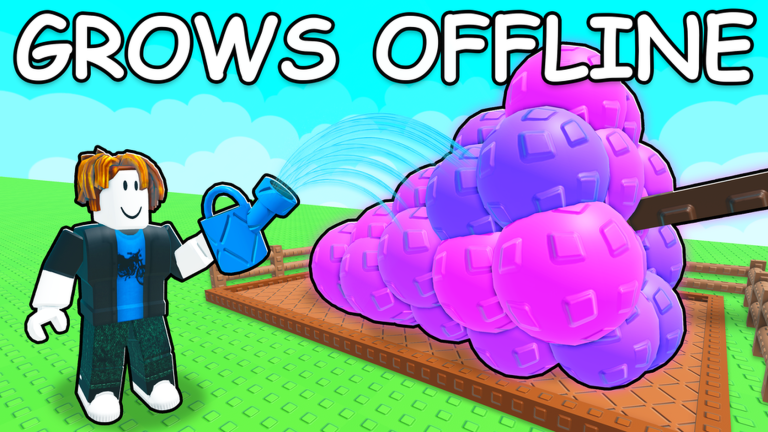
Official Grow a Garden 2 thumbnail showing crops growing offline
Grow a Garden 2 Offline Growth Open the related GAG2 guide
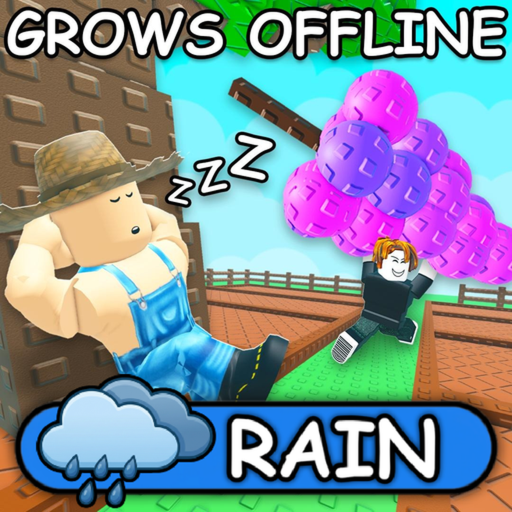
Official Grow a Garden 2 Roblox icon showing rain weather and large crops
Grow a Garden 2 Rain Weather Open the related GAG2 guide

Grow a Garden 2 codes, values, seeds, pets, gears, and stock coverage

Right now, GAG2 Tools keeps Grow a Garden 2 coverage broad but honest. Grow a Garden 2 codes focus on active rewards and last-reviewed status. Seeds compare price, Robux price, tier, and planning notes. Values stay source-linked so players can see what the calculator uses instead of trusting a black box.

Pets, gears, mutations, weather events, guilds, and night stealing are guide pages because those systems need context. Stock stays a restock reference with seed shop notes and planning guidance. GAG2 Tools does not label stock as live until a stable update source exists.

The homepage is meant to work as a map for Grow a Garden 2 players. If you are new, start with codes and the beginner guide. If you are comparing crops, use seeds, values, stock, and the calculator together. If you are planning around events, check weather and mutations before deciding which crop deserves protection.

What this hub covers

  • Grow a Garden 2 codes and reward notes.
  • Seed prices, values, tiers, and calculator paths.
  • Pets, gears, mutations, weather events, guilds, and stock references.
  • Night stealing and defense basics.
  • Fan-made disclaimer, privacy policy, and terms.

Grow a Garden 2 guide notes

These notes explain how to use the Grow a Garden 2 pages together without turning one table into final advice.

Use the hub like a checklist

A good Grow a Garden 2 session usually starts with a fast reward check, then a spending decision. Redeem codes first, scan the seed and gear references, and use the calculator before buying a crop that would drain your Sheckles. If the next target is too expensive, keep a backup route instead of waiting idle for one restock.

Separate reference data from advice

Grow a Garden 2 changes quickly, so GAG2 Tools keeps raw reference rows visible. Seed price, Robux price, crop tier, harvest type, pet ability, gear stock range, weather trigger, and mutation multiplier should stay separate from route advice. That makes it easier to see what changed after an update and what still needs manual review.

Plan around night and events

Night stealing, weather events, guild rewards, and mutations can change the value of a crop plan. A Grow a Garden 2 seed that looks strong in a values table can still be risky if you cannot protect it, if the weather window is wrong, or if the stock row is only a watchlist target. Use the guide pages together instead of treating one table as the final answer.

Fan-made disclaimer

GAG2 Tools is a fan-made Grow a Garden 2 resource, not an official Roblox or creator site. The notes are manually maintained during beta, so recheck codes, seed prices, mutations, and stock timing after major updates.

FAQ

Questions players ask

What is Grow a Garden 2?

Grow a Garden 2 is a Roblox farming and garden game where players plant seeds, sell crops, use rewards, and plan around systems such as restocks, mutations, pets, guilds, and night stealing.

Is GAG2 Tools official?

No. GAG2 Tools is a fan-made Grow a Garden 2 website and is not affiliated with Roblox, Grow a Garden 2, or the game creators.

Where should I start on this Grow a Garden 2 site?

Start with codes, then compare seeds, read the beginner guide, and use the calculator before buying higher-tier crops.

Is the Grow a Garden 2 stock page live?

No. The stock page is a restock reference and planning guide. It is not a real-time tracker.

How accurate are the Grow a Garden 2 values?

Values are manually reviewed from public sources and in-game-facing references when available. They are useful for planning, not official prices or guaranteed trade values.